
 SkillBridge
For the school you are building
See the classroom. Support the whole school.
Connect the work teachers set, the activity learners record, and the information leaders use to decide where support belongs.
SkillBridgeSchool leaders
Watch one classroom handoff work.
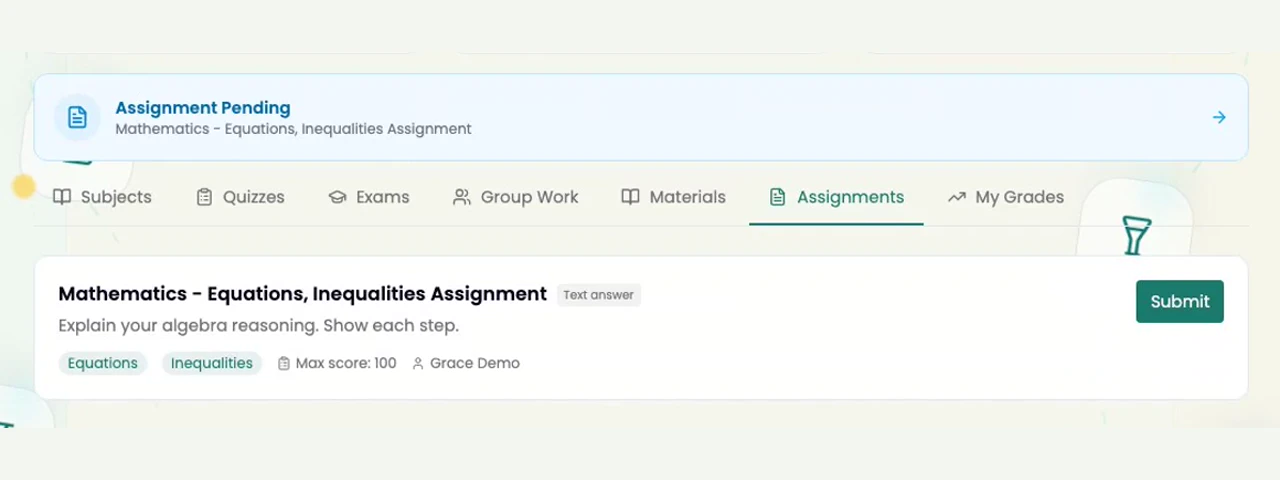
A teacher sets an assignment. The learner receives it in the classroom. This is the connected foundation beneath the school-wide view.
- 01
A classroom workflow.
The teacher publishes a real assignment.
- 02
A learner receives it.
Actual student readback, with synthetic demo accounts.
 SkillBridge
School leaders
Build on how your school already works.
Organise classrooms, teacher assignments, and timetables around your school’s structure. Give each person a clear place in the workflow.
SkillBridgeLeadership in the actual product
Notice the absence. Open the learner’s story.
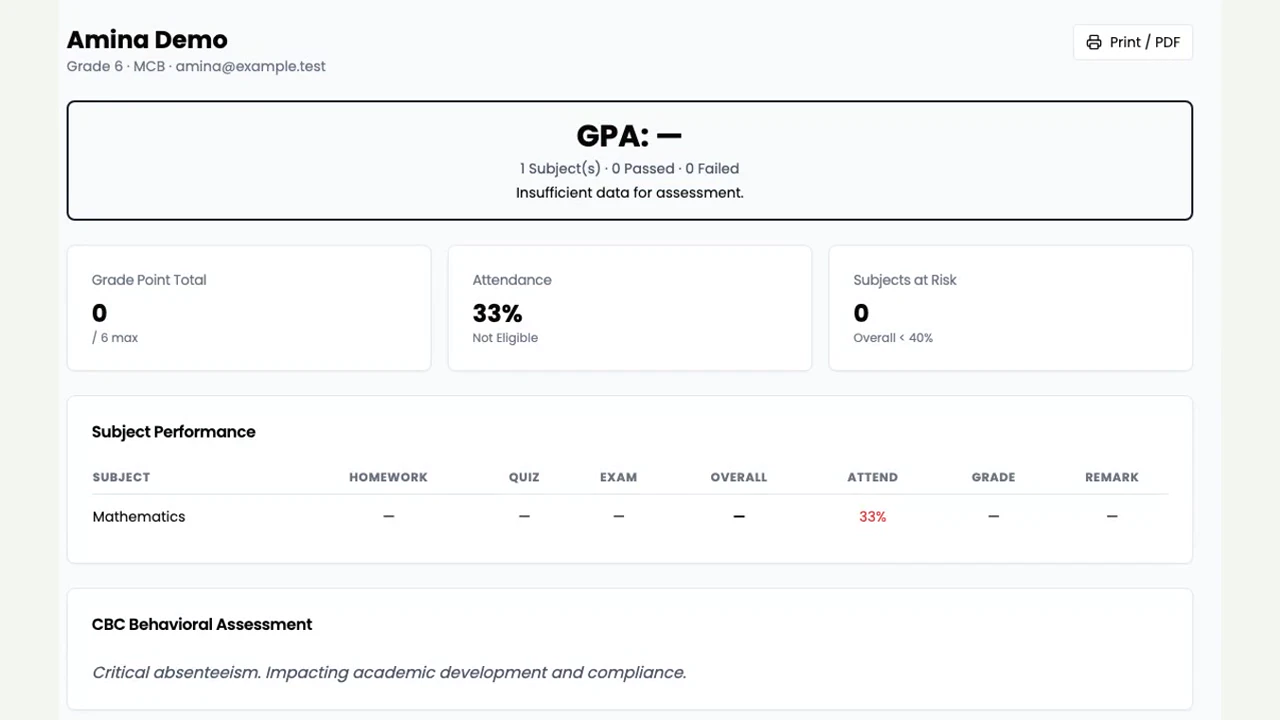
A school leader sees an attendance flag and opens the learner’s report. Use the recorded facts to start a conversation with the teacher and learner.
- 01
See the signal.
Two absences in three recorded days flag a closer look.
- 02
Read the context.
Attendance is 33%; grades await assessment records.
- 03
Choose a support conversation.
Check the record with teacher and learner; agree one follow-up.
 SkillBridge
School leaders
Give support a concrete starting point.
Attendance and academic indicators can show where to look more closely. School leaders decide what the signals mean and what action is appropriate.
SkillBridgeSchool leaders
Clear responsibilities make a school pilot workable.
Teachers organise classwork and review learners’ responses. Headmasters use the school overview to guide support. Confirm school setup and approval responsibilities before introducing the pilot.
- 01
Teacher
Prepare classroom work and review learner responses.
- 02
Headmaster
Agree a follow-up owner, available support and a review date.
- 03
School setup
Confirm the school link, approvals and access responsibilities.
SkillBridgeSchool leaders
Make the first school day with SkillBridge manageable.
Set up the school context. Introduce the teachers. Help learners join the right classes. Begin with a workflow people can understand and repeat.
SkillBridgeSchool leaders
Agree the pilot. Make the next decision measurable.
Choose one class, one workflow and a review date. Agree what participation, repeat use and teacher experience would justify continuing. Decide responsibilities before the pilot starts.
- 01
Agree the starting point.
One class, one workflow, one review date.
- 02
Share the responsibilities.
Teacher introduction, learner access, support and evidence review.
- 03
Choose the next step.
Continue, adapt or stop using the agreed criteria.
SkillBridgeSchool leaders
Bring one priority. Let’s shape the pilot.
Choose a class, a classroom workflow, and a review point. Together, define what useful adoption would look like for your school.
Evidence pending · internal draft